


Best WordPress Themes: 6 Popular Themes Reviewed
Choosing a WordPress theme can feel confusing when you see hundreds of options available. Many themes look similar at first, but their customization options, layouts, performance, starter templates and features can be quite different.
The good news is that you do not need to test every theme yourself. By understanding what each theme offers and what type of website it is suitable for, you can narrow down your choices much faster.
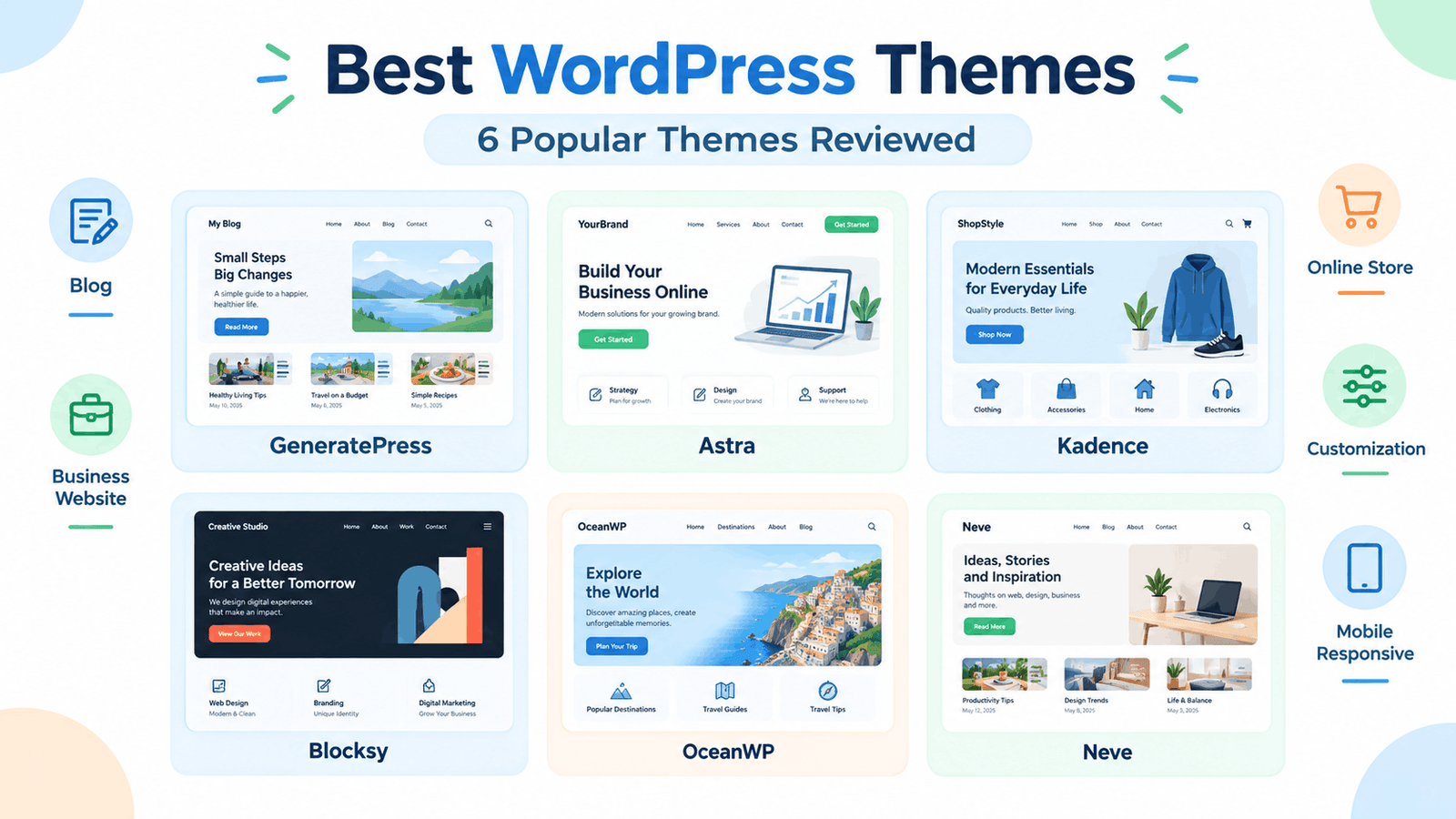
In this guide, we will look at six popular WordPress themes: GeneratePress, Astra, Kadence, Blocksy, OceanWP and Neve. Instead of simply calling one theme the “best,” we will look at their main features, customization options and the types of websites they can work well for.
Quick note: Theme features and pricing can change over time. Always check the official theme website before making a final decision.
WordPress Themes: A Beginner’s Guide to Choosing
What Makes a WordPress Theme a Good Choice?
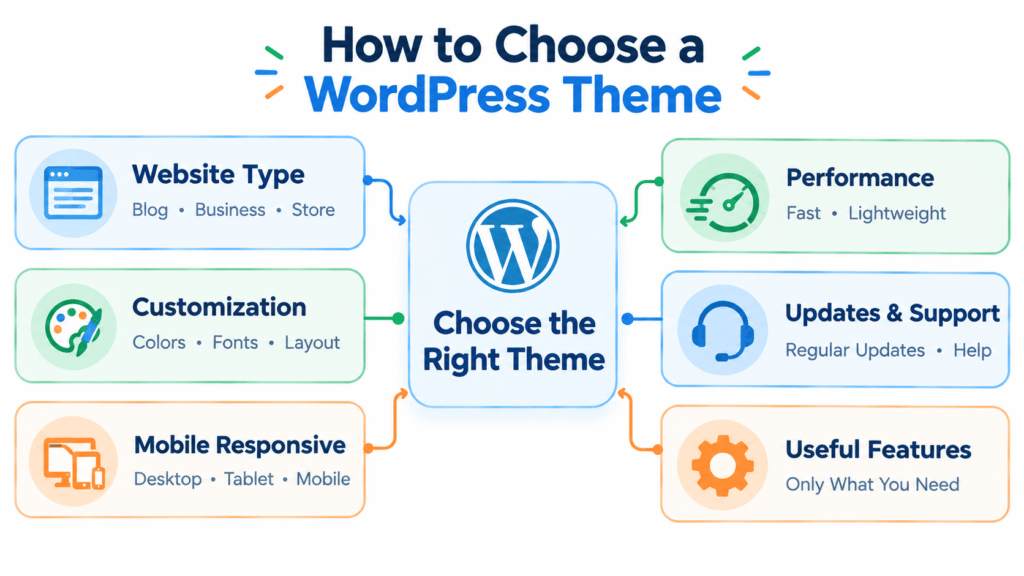
Before looking at individual themes, it is important to understand what you should actually compare.
A good theme should match the needs of your website rather than simply looking attractive.
Here are some important things to check:
1. Design and customization
Look for options that allow you to change colors, fonts, layouts, menus, headers and footers without needing to edit code.
2. Mobile responsiveness
Your website should work properly on desktops, tablets and smartphones. A responsive theme automatically adjusts the layout according to the screen size.
3. Performance
A theme with unnecessary features can make a website more complicated. Look for a theme that provides the features you actually need.
4. Page builder compatibility
If you use a page builder such as Elementor, check whether the theme works well with it before choosing the theme.
5. Starter templates
Some themes provide ready-made website templates. These can save beginners considerable time when creating a new website.
6. Updates and support
Regular updates help maintain compatibility with WordPress and other plugins. Good documentation and support can also make troubleshooting easier.
6 Popular WordPress Themes to Consider
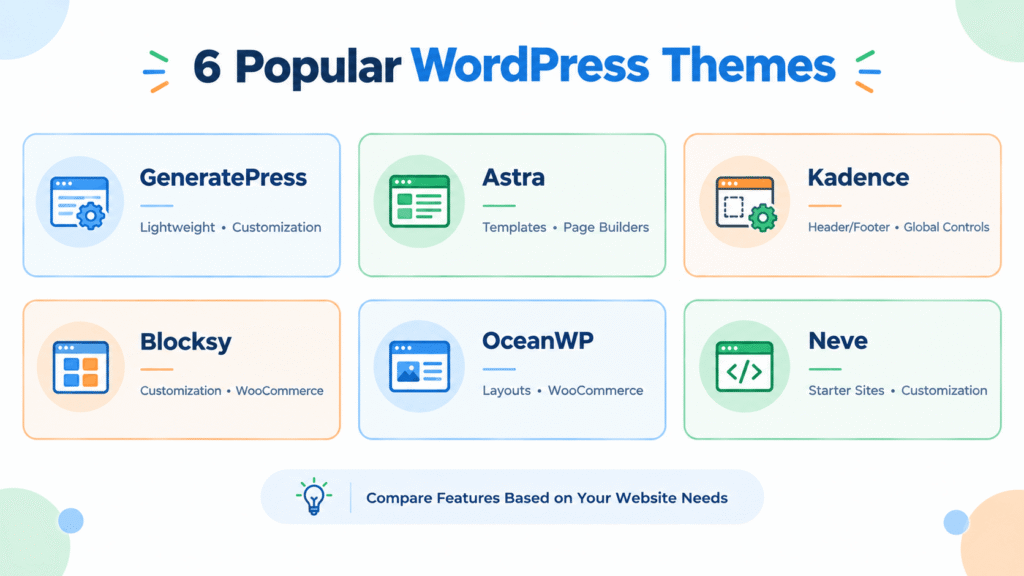
The following themes are widely used options available in the WordPress ecosystem. They are presented alphabetically rather than as a ranking.
1. GeneratePress
GeneratePress is known for its lightweight approach and focus on performance and customization. Its documentation includes options for navigation, sidebars, logos, footer widgets, mobile headers and other customization areas.
This makes it useful for people who want to build a clean website without starting with an overly complicated design.
Key points:
- Lightweight-focused design
- Customization options
- Header and navigation controls
- Mobile-related settings
- Suitable for blogs and different types of websites
- Documentation for beginners and developers
GeneratePress can be worth considering if you want more control over your website while keeping the overall design relatively clean.
Detailed review:
GeneratePress Review
2. Astra
Astra is a popular multipurpose WordPress theme with a large collection of customization and website-building features. Its WordPress.org listing describes support for page builders such as Elementor, Beaver Builder and Spectra, along with WooCommerce compatibility and mobile-focused design.
It can be used for blogs, business websites, portfolios and online stores.
Key points:
- Large selection of website templates
- Works with popular page builders
- WooCommerce compatibility
- Custom colors and menus
- Mobile-first approach
- Suitable for different website types
Astra may be useful if you want a theme that can grow with your website as your needs change.
Detailed review:
Astra Review
3. Kadence
Kadence focuses on flexibility while keeping the website-building process accessible to beginners. Its WordPress.org listing highlights a drag-and-drop header and footer builder, starter templates, global font and color controls, and integrations with popular plugins.
This combination can be helpful when you want to customize important parts of your website without dealing with complicated code.
Key points:
- Header and footer builder
- Starter templates
- Global typography controls
- Global color controls
- WooCommerce support
- Suitable for blogs, business websites and stores
Kadence is worth exploring if header, footer, typography and global design controls are important to you.
Detailed review:
Kadence Review
4. Blocksy
Blocksy is a modern WordPress theme that focuses on customization and compatibility with the block editor. Its WordPress.org listing describes it as a fast theme with WooCommerce support and block editor compatibility.
Blocksy also provides extensive customization options through the WordPress Customizer. Its documentation covers global colors, typography, layouts, sidebars and header and footer builders.
Key points:
- Modern design approach
- Block editor compatibility
- WooCommerce features
- Header and footer builders
- Global color and typography controls
- Blog and layout customization
The theme can be useful for users who want detailed visual controls while working with the WordPress Customizer.
Detailed review:
Blocksy Review
5. OceanWP
OceanWP is a multipurpose theme designed for different types of websites, including blogs, business websites, portfolios and WooCommerce stores.
Its documentation highlights customization options for layouts, colors, typography, blog posts and different page structures. It also supports responsive layouts and works with popular page builders.
Key points:
- Multipurpose design
- WooCommerce support
- Responsive layouts
- Extensive customization
- Blog layout controls
- Page builder compatibility
OceanWP can be useful if you want a theme with many layout and customization possibilities.
Detailed review:
OceanWP Review
6. Neve
Neve is a lightweight WordPress theme designed for websites such as blogs, small businesses, portfolios and online stores. Its official documentation includes controls for colors, typography, layouts, headers, footers and blog settings.
Neve also provides starter sites and customization tools designed to simplify the website-building process.
Key points:
- Lightweight design
- Responsive layout
- Starter sites
- Typography and color controls
- Header and footer builder
- WooCommerce support
- Customization through the WordPress Customizer
Neve may be worth considering if you want a simple starting point with customization options for different website types.
Detailed review:
Neve Review
Quick Comparison of These WordPress Themes
Instead of choosing a theme based only on popularity, compare the features that matter for your particular website.
| Theme | Good For | Notable Features |
| GeneratePress | Blogs, business websites | Lightweight approach, customization |
| Astra | Blogs, business, stores | Starter templates, page builder compatibility |
| Kadence | Blogs, business, stores | Header/footer builder, global controls |
| Blocksy | Blogs, stores, modern websites | Customization, WooCommerce, block editor |
| OceanWP | Multipurpose websites | Layout controls, WooCommerce, customization |
| Neve | Blogs, business, stores | Starter sites, typography and layout controls |
This table is only a starting point. Features, free-versus-paid options and integrations can change, so check the official documentation before selecting a theme.
Which WordPress Theme Should You Choose?
There is no single theme that is suitable for every website.
Your choice should depend on what you are trying to build.
For a simple blog
Look for a clean layout, readable typography, good blog controls and easy customization.
GeneratePress, Astra, Kadence and Neve are examples you can investigate.
For a business website
You may want starter templates, flexible headers and footers, page builder compatibility and sections for services or portfolios.
Astra, Kadence, Blocksy and Neve provide features that can support this type of website.
For an online store
WooCommerce compatibility becomes more important. Check the theme’s store layouts, product-page options and other eCommerce features before choosing.
Astra, Kadence, Blocksy, OceanWP and Neve all provide WooCommerce-related functionality, although the exact features available can differ between their free and paid offerings.
How to Test a Theme Before Choosing It
You do not have to immediately commit to a theme.
A simple testing process can help:
Check the design
↓
Explore customization options
↓
Check mobile appearance
↓
Test important plugins
↓
Check page speed
↓
Review updates and support
↓
Make your decision
Also look at your actual website content while testing. A theme can look excellent in a demo but feel different when you add your own logo, images, menus and blog posts.
(Learn More: WordPress Dashboard)
Common Mistakes to Avoid When Choosing a Theme
Choosing only because of appearance
A beautiful demo does not automatically mean the theme is suitable for your website.
Installing too many themes
You can test different options, but keeping unnecessary themes installed is not useful. Keep your WordPress installation organized.
Ignoring mobile design
Always check how your website looks on smaller screens.
Selecting features you do not need
More options do not always make a website easier to manage. Choose features according to your actual requirements.
Ignoring updates
Before selecting a theme, check its update history and documentation.
What Should Beginners Look for in a Theme?
If you are new to WordPress, start with the basics.
A suitable theme should ideally offer:
- Clean and readable design
- Mobile responsiveness
- Easy customization
- Good documentation
- Regular updates
- Compatibility with your important plugins
- Only the features you actually need
You do not need to create a complicated website on your first attempt. Start with a simple structure and improve it as you become more comfortable with WordPress.
Frequently Asked Questions
Which is the best WordPress theme for beginners?
There is no single choice that works for every beginner. Compare themes based on your website type, customization needs, required plugins, design preferences and budget.
Are these themes free?
All six themes have free versions or free availability through the WordPress ecosystem, while some also offer paid upgrades or additional features. Always check the current pricing and feature list on the official theme website.
Can I change my WordPress theme later?
Yes. You can change your theme later, although you should check your menus, widgets, layouts, custom settings and other theme-specific elements after switching.
Should I use a multipurpose theme?
A multipurpose theme can be useful if you expect your website to grow or change direction. However, if you only need a simple blog, a simpler theme may be enough.
Do I need a premium theme?
Not necessarily. A free theme can be enough for a beginner website. Consider upgrading only when you need features that are not included in the free version.