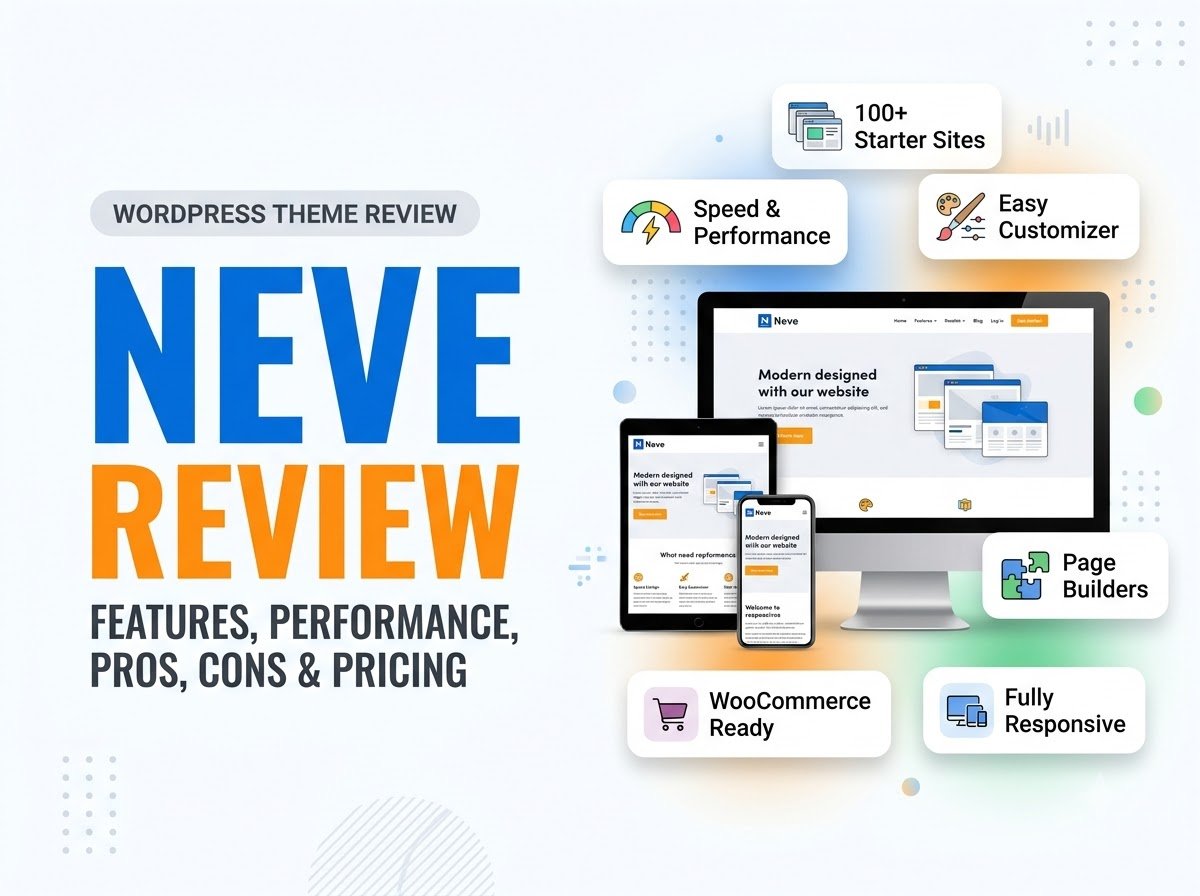
Neve Review: Features, Performance, Pros, Cons & Pricing
In this Neve review, we will take a detailed and honest look at the theme. We will cover its main features, customization options, performance, starter sites, page builder compatibility, WooCommerce support, free and premium options, advantages, limitations, and overall beginner-friendliness.
Neve is designed as a lightweight multipurpose WordPress theme. It can be used for blogs, business websites, portfolios, agencies, and online stores. The current WordPress.org listing describes Neve as performance-focused and compatible with the block editor, popular page builders, and WooCommerce. It currently has more than 200,000 active installations.
So, is Neve actually a good WordPress theme for your website?
Let’s find out.
What Is Neve?
Neve is a WordPress theme developed by Themeisle. It is available as a free theme with optional paid upgrades.
The main idea behind Neve is to provide a lightweight foundation that can be customized for different types of websites. Instead of focusing on only blogs or only business websites, Neve is designed to work across several website categories.
You can use Neve for:
- Blogs
- Business websites
- Agency websites
- Portfolios
- Personal websites
- Small online stores
- WooCommerce websites
The theme also supports responsive layouts, custom colors, menus, logos, featured images, sidebars, and other standard WordPress features.
One of the first things that stands out in this Neve review is that the theme tries to balance simplicity with flexibility. It is not an extremely basic theme, but it also does not require you to build everything from scratch.
Learn More: WordPress Themes: 6 Popular Themes Reviewed
Neve Review: Main Features
Neve includes a collection of features designed to make WordPress website building easier.
Some of the most important ones include:
- Lightweight design
- Responsive layouts
- WordPress Customizer controls
- Header and footer builders
- Global colors
- Typography controls
- Starter sites and templates
- Page builder compatibility
- WooCommerce integration
- Blog customization
- Per-page layout settings
- Mobile-friendly design
The exact features available can depend on whether you are using the free theme or Neve Pro.
Let’s look at the most important features in more detail.
1. Neve Customizer
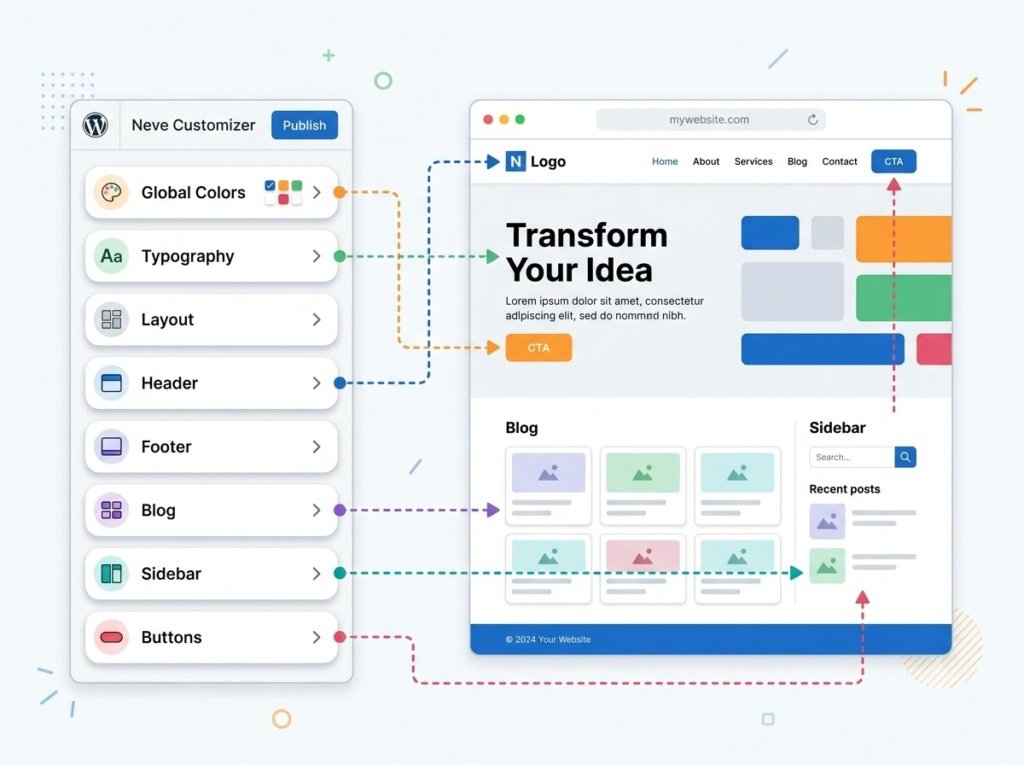
The WordPress Customizer is one of the main places where you can change how your website looks.
Neve organizes many of its settings through the Customizer. According to the current documentation, its settings include areas such as Global, Typography, Blog, Header/Footer Builder, and WooCommerce settings when WooCommerce is active.
You can use these controls to change things such as:
- Website colors
- Typography
- Layout
- Content width
- Blog settings
- Header
- Footer
- Sidebar
- Buttons
- Page layouts
This is helpful for beginners because you can make many changes without editing theme files.
However, there is a small learning curve.
Neve provides enough customization options that beginners may need some time to understand where individual settings are located. If you only want a very basic website, you may not need to change most of them.
2. Header and Footer Builder
The header and footer are two of the most important parts of a website.
Neve provides a visual header and footer builder inside the Customizer. The documentation explains that these builders use rows and components that can be placed into different areas of the header or footer.
You can use components such as:
- Logo
- Site identity
- Primary menu
- Secondary menu
- Buttons
- Search
- Other available elements
This gives you more control than a simple fixed header.
For example, you could create a header with your logo on the left, navigation in the middle, and a button on the right.
The free version provides the core builder, while some advanced header and footer features are part of Neve Pro. Themeisle’s documentation lists features such as transparent headers, sticky headers, multiple header configurations, and additional components under the Pro options.
This is an important distinction to understand before assuming every header feature is included in the free version.
3. Global Colors and Typography
A consistent color and typography system can make a website look much more professional.
Neve provides global settings for colors and typography so you can create a consistent visual style across your website.
The current settings documentation describes a global color palette that can control elements such as the primary accent, secondary accent, background, text, links, and link hover colors.
This is useful because you do not have to manually change the color of every individual section.
You can also adjust typography settings to improve readability.
For a beginner blog, I recommend keeping this simple. Choose one or two fonts, a small color palette, and consistent heading sizes rather than experimenting with every available setting.
4. Starter Sites and Templates
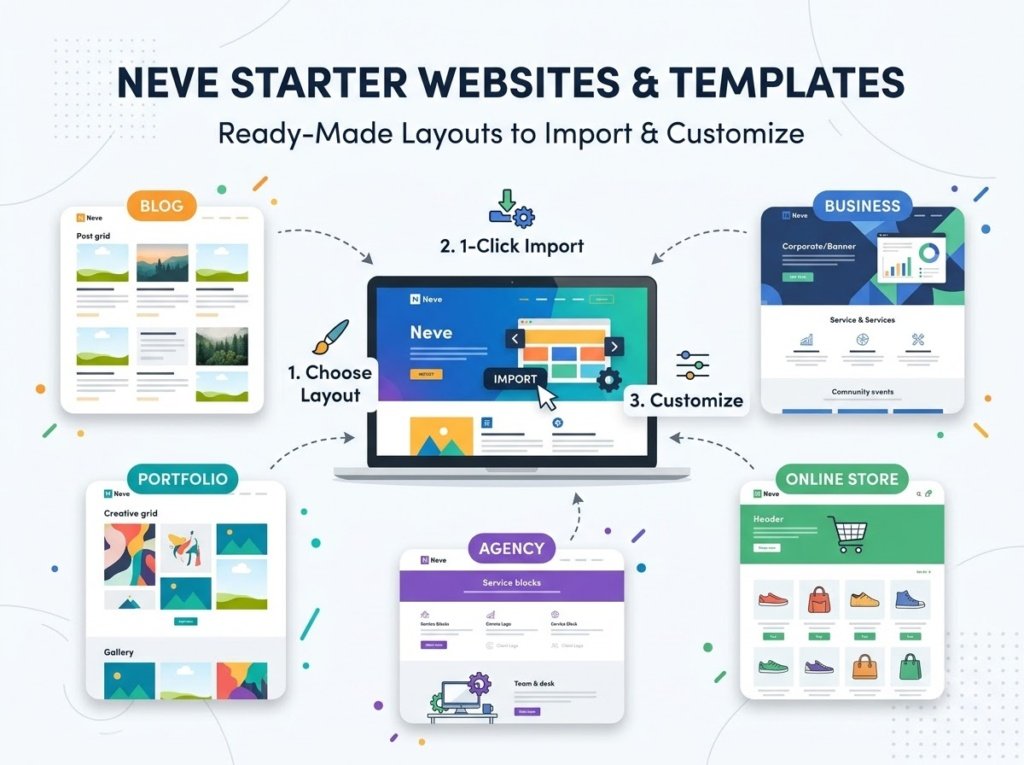
Starter sites are useful when you want to create a website quickly.
Instead of starting with a completely blank website, you can import a pre-designed layout and replace its content with your own.
Neve has a separate Starter Sites & Templates plugin, which currently has more than 100,000 active installations on WordPress.org.
These templates can help beginners understand how different sections of a website can be arranged.
For example, you might find a starting layout for a:
- Blog
- Business
- Portfolio
- Agency
- Online store
However, importing a template does not mean your website is finished.
You should replace the demo content, update images, check the navigation, remove unnecessary sections, and make sure the design matches your actual brand.
5. Page Builder Compatibility
Another strong point in this Neve review is its compatibility with popular page-building tools.
The WordPress.org listing mentions compatibility with the WordPress block editor and popular page builders including Elementor, Bricks, and Oxygen.
This gives you flexibility when designing pages.
For example, you can use the normal WordPress editor for blog posts and use a page builder for a more customized landing page.
But there is an important beginner tip here: you do not need several page builders.
Installing multiple builders can make your website more complicated and may add unnecessary resources. Pick one method that works for you and learn it properly.
If you already use Elementor, Neve can fit into that workflow.
6. Neve for Blogging
Neve can be a good choice for bloggers because it includes blog-specific controls and supports common WordPress content layouts.
You can customize areas such as:
- Blog layout
- Featured images
- Typography
- Sidebar
- Content width
- Post layout
- Page layout
The result can be kept very simple or customized into a more magazine-style layout.
For a beginner blog, simplicity is usually the better approach.
A clean article layout with readable text, clear headings, properly sized images, and enough white space will generally provide a better reading experience than a page filled with unnecessary design elements.
This is one area where Neve can work well for beginners because you can start with a basic design and make changes later.
7. Neve for Business Websites
Neve is not limited to blogs.
You can also use it to create a business website with pages such as:
- Home
- About
- Services
- Portfolio
- Testimonials
- Contact
- Blog
Its multipurpose design makes it suitable for freelancers, small businesses, agencies, and service providers.
The main advantage is flexibility. You do not need to switch to a completely different theme simply because your website changes from a basic blog into a business website.
If your project grows, you can continue customizing the same theme.
8. Neve for WooCommerce
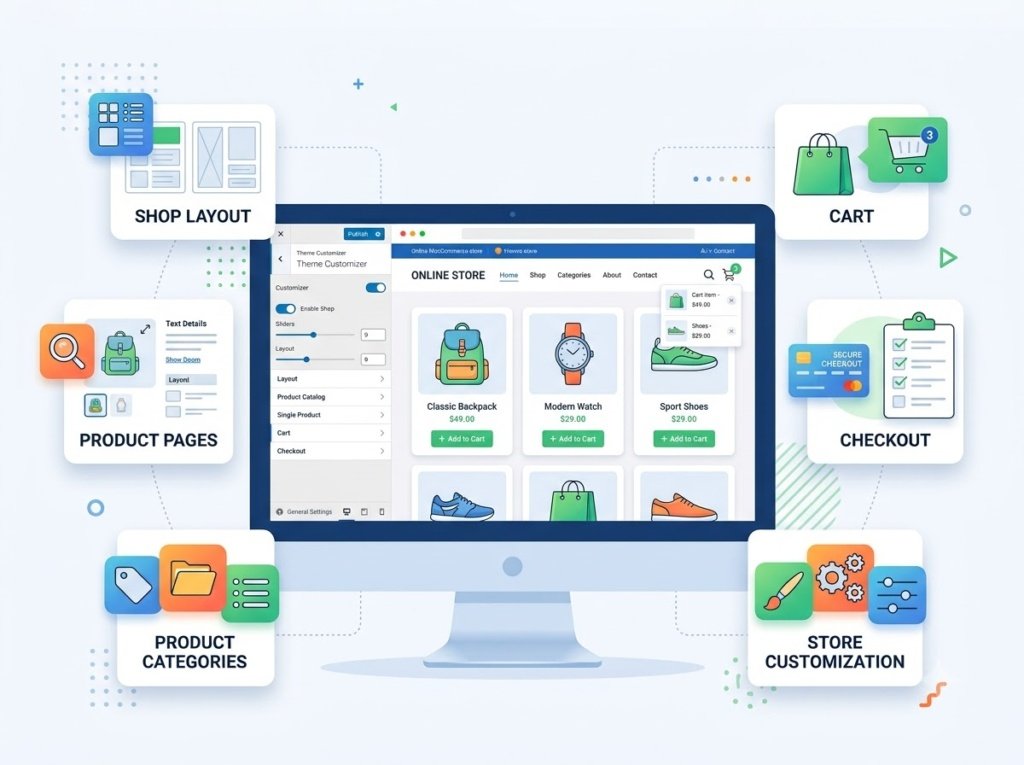
WooCommerce support is another important part of this Neve review.
Neve is compatible with WooCommerce and provides WooCommerce-specific settings through the Customizer when the plugin is active. The documentation also describes options for shop layouts, individual product pages, sidebars, content width, and other store-related settings.
This makes Neve suitable for many small and medium-sized online stores.
You can use it for:
- Product pages
- Shop pages
- Product categories
- Cart
- Checkout
- Related products
- Store layouts
However, some advanced WooCommerce functionality is included in Neve Pro modules rather than the free theme.
If you are planning a serious online store, check the exact features included in your chosen plan before purchasing.
Neve Performance
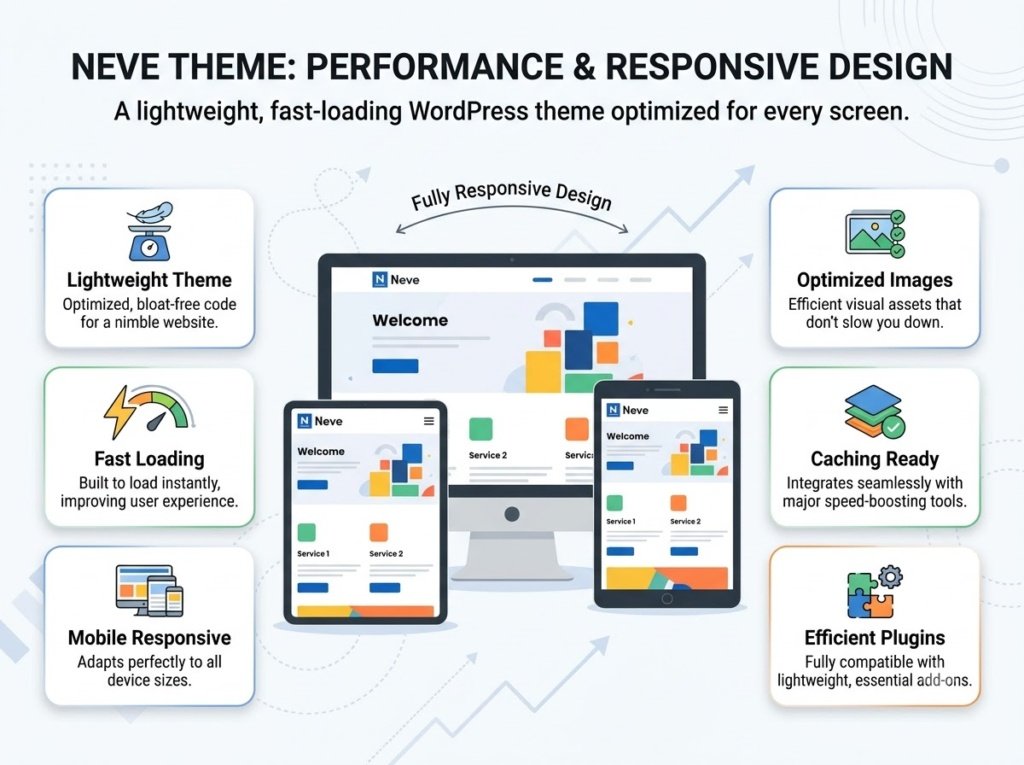
Performance is one of the main areas where Neve tries to differentiate itself.
The official WordPress.org listing describes Neve as a lightweight, performance-oriented theme designed with performance and Core Web Vitals in mind.
Its lightweight approach can be useful because a theme is one of the basic components of your website.
However, it would be misleading to say that simply installing Neve guarantees a fast website.
Your actual website speed depends on many other factors, including:
- Web hosting
- Image sizes
- Plugins
- Caching
- Fonts
- Page builders
- Third-party scripts
- Number of website elements
For example, a lightweight theme can still produce a slow website if you upload huge images and install many unnecessary plugins.
So my honest conclusion in this Neve review is that the theme provides a good foundation for performance, but you still need to optimize the rest of your website.
Is Neve Mobile-Friendly?
Yes, Neve is designed to be responsive.
That means your website can adapt to different screen sizes, including desktop computers, tablets, and smartphones. The WordPress.org listing identifies responsive design as one of the theme’s features.
This is important because a large percentage of website visitors may use mobile devices.
Still, responsive design does not mean you should never test your website.
After designing your website, check:
- Navigation menus
- Font sizes
- Buttons
- Images
- Content width
- Columns
- Forms
- Product pages
A layout that looks excellent on a desktop screen can sometimes need adjustments on a smartphone.
Neve Free vs Premium
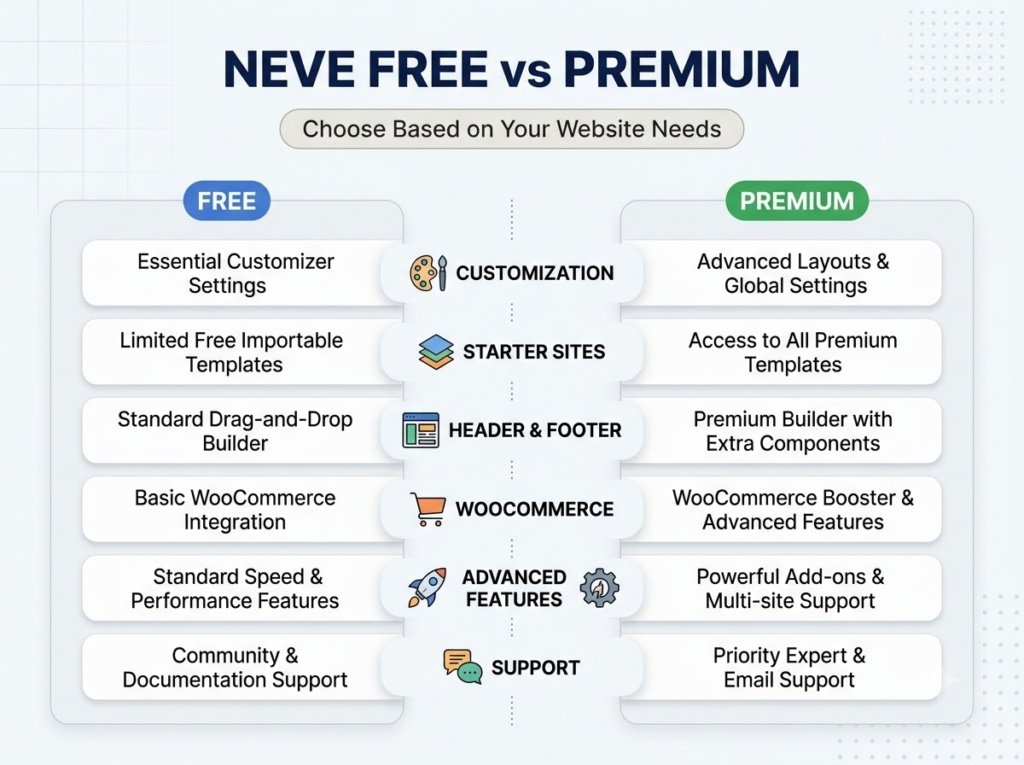
One of the most important things to understand in this Neve review is the difference between the free theme and Neve Pro.
The core Neve theme is available through WordPress.org, while Neve Pro is offered as a premium add-on that unlocks additional features.
The free version can be enough for:
- Basic blogs
- Simple personal websites
- Small business websites
- Beginner projects
You may want the Pro version when you need more advanced functionality.
Neve Pro adds capabilities around areas such as advanced header and footer options, WooCommerce enhancements, custom layouts, and other modules.
Before upgrading, make a list of the features you actually need.
If your website is still small, paying for advanced features that you will not use may not be necessary.
What I Like About Neve
A good Neve review should not focus only on features. It is also important to consider how the theme feels to use.
Lightweight Approach
Neve is designed around a lightweight, performance-focused foundation, which is useful for websites where loading speed matters.
Good Customization
The Customizer provides controls for global colors, typography, layouts, blog settings, and other website elements.
Header and Footer Builder
The visual builder gives you more control over the structure of your website header and footer without requiring code.
Starter Sites
Pre-built starter websites can make the initial setup easier, especially for beginners who do not know how to design every section themselves.
WooCommerce Support
Neve works with WooCommerce and provides dedicated store customization options.
Multiple Website Types
You can use the theme for blogs, business websites, portfolios, agencies, and stores rather than being restricted to one specific type of website.
What I Don’t Like About Neve
An honest Neve review also needs to discuss the weaknesses.
Some Features Are Reserved for Pro
The free theme provides a useful foundation, but some advanced functionality requires Neve Pro.
This can become important when you start building a more advanced website.
You may initially create your website with the free version and later discover that a feature you want requires an upgrade.
That is not unusual for a freemium WordPress theme, but it is something beginners should know before planning their entire website around premium features.
The Customizer Can Take Time to Learn
Neve is not difficult to use, but it has enough settings that beginners may need some time to become comfortable with them.
If you prefer an extremely simple theme with very few controls, Neve may feel more feature-rich than necessary.
Starter Templates Can Create Unnecessary Bloat
Starter sites are convenient, but importing a complete design can also leave you with sections, images, plugins, or content that you do not actually need.
After importing a starter site, clean it up rather than keeping everything just because it came with the template.
Is Neve Good for Beginners?
Yes, Neve can be a good choice for beginners, especially if you want a theme that can grow with your website.
The basic workflow is straightforward:
- Install Neve.
- Choose a starter site or begin with a clean layout.
- Set your website colors.
- Choose your typography.
- Customize the header and footer.
- Create your pages.
- Add your content.
- Test the website on mobile.
- Optimize images and plugins.
- Publish your website.
The main challenge is deciding which settings you actually need.
My recommendation is to avoid trying to customize everything on your first day. Start with the basics and improve the design gradually.
Neve vs Other WordPress Themes
Neve competes with several other popular multipurpose WordPress themes, including Astra, GeneratePress, Kadence, Blocksy, and OceanWP.
All of these themes can be used for different types of websites, but their interfaces and customization systems are different.
For example, one theme might provide more customization controls in a particular area, while another might offer a simpler interface.
Instead of asking which theme is universally the best, compare them based on your own requirements.
Consider:
- Ease of use
- Performance
- Customization
- Starter sites
- Page builder compatibility
- WooCommerce support
- Free features
- Premium features
- Long-term maintenance
- Your website type
If you are still deciding which theme to use, Neve is worth adding to your comparison list.
Who Should Consider Neve?
Neve may be a good choice if you:
- Want a lightweight WordPress theme
- Are creating a blog
- Need a business website
- Want starter templates
- Use the WordPress block editor
- Use Elementor or another supported page builder
- Plan to create a WooCommerce store
- Want a theme that can grow with your website
- Prefer visual customization instead of coding
Who May Not Need Neve?
Neve may not be necessary if you want an extremely basic website with almost no customization.
If you are creating a very simple website and only need a few pages, you may prefer a theme with fewer settings.
Similarly, if you already have another theme that provides everything your website needs, switching to Neve simply because it is popular may not provide much benefit.
The best theme is the one that fits your website rather than the one with the longest feature list.
Frequently Asked Questions
Is Neve good for WooCommerce?
Yes. Neve supports WooCommerce and provides store-specific customization options. Some advanced WooCommerce features are available through Neve Pro.
Does Neve work with Elementor?
Yes. Neve’s WordPress.org listing identifies Elementor among the supported page builders. It also lists compatibility with other builders such as Bricks and Oxygen.
Is Neve fast?
Neve is designed as a lightweight, performance-focused theme. However, your website’s actual speed will also depend on hosting, plugins, images, caching, page builders, and other factors.
Does Neve have starter sites?
Yes. Neve works with the Starter Sites & Templates system, which provides pre-built website designs that can be used as starting points.