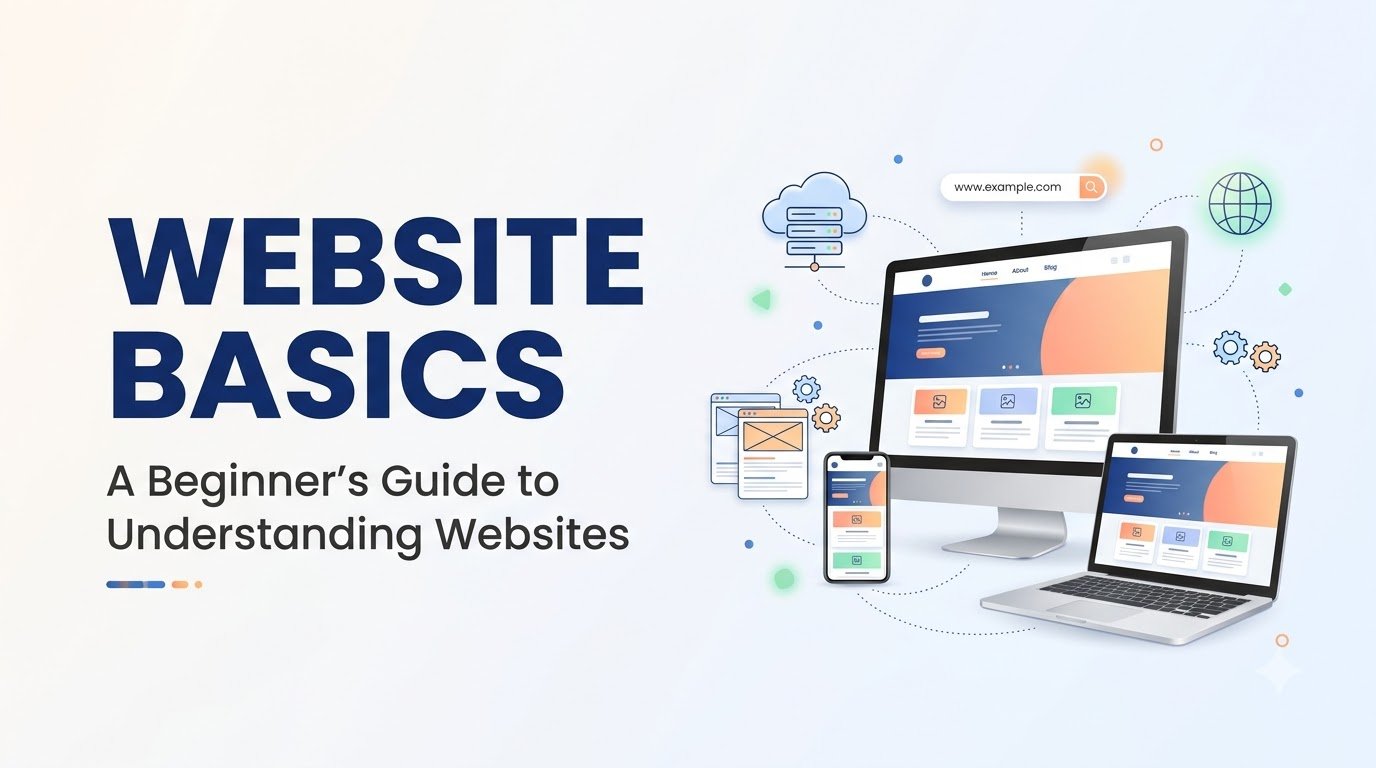
Website Basics: A Beginner’s Guide to Understanding Websites
Have you ever wondered what happens when you type a website address like www.google.com or www.amazon.in into your browser? Learning website basics helps you understand how websites work why they load in seconds, and the technology behind them. This beginner-friendly guide explains everything in simple language, making it easy to build a strong foundation before creating your own website.
If you’re new to websites, don’t worry. This website basics guide is written specifically for beginners and explains everything in simple language without using complicated technical terms.
Learning website basics is the first step toward understanding how websites work and building your own online presence. Let’s begin with the most basic question.
What is a Website?
A website is a collection of related web pages that are stored on a server and can be accessed through the internet using a web browser such as Chrome, Edge, Firefox, or Safari.
Think of a website as a digital building. Just as a building contains different rooms, a website contains different pages. Each page serves a different purpose but is connected to the same website.
For example:
- The Home page welcomes visitors.
- The About page shares information about the company or person.
- The Services page explains what is offered.
- The Contact page helps visitors get in touch.
Together, these pages form a complete website.
Simple Definition
A website is a group of connected web pages available on the internet under one domain name.
Real-Life Examples of Websites
Every day, you use many websites without even thinking about it.
| Website | Purpose |
| Search information | |
| Amazon | Online shopping |
| YouTube | Watch videos |
| Wikipedia | Learn about different topics |
| Professional networking |
Each website has a different purpose, but they all work in a similar way.
Why Are Websites Important?
Today, websites are used by almost everyone—from students and freelancers to small businesses and large companies.
A website helps people:
- Share information
- Sell products online
- Offer services
- Build trust
- Reach customers worldwide
- Showcase skills and portfolios
- Publish blogs and articles
- Learn through online courses
No matter if you own a business or want to create a personal blog, a website lets people find you online anytime they need.
Basic Structure of a Website
Most websites include these common pages:
Website
- Home
- About
- Services
- Blog
- Contact
- Privacy Policy
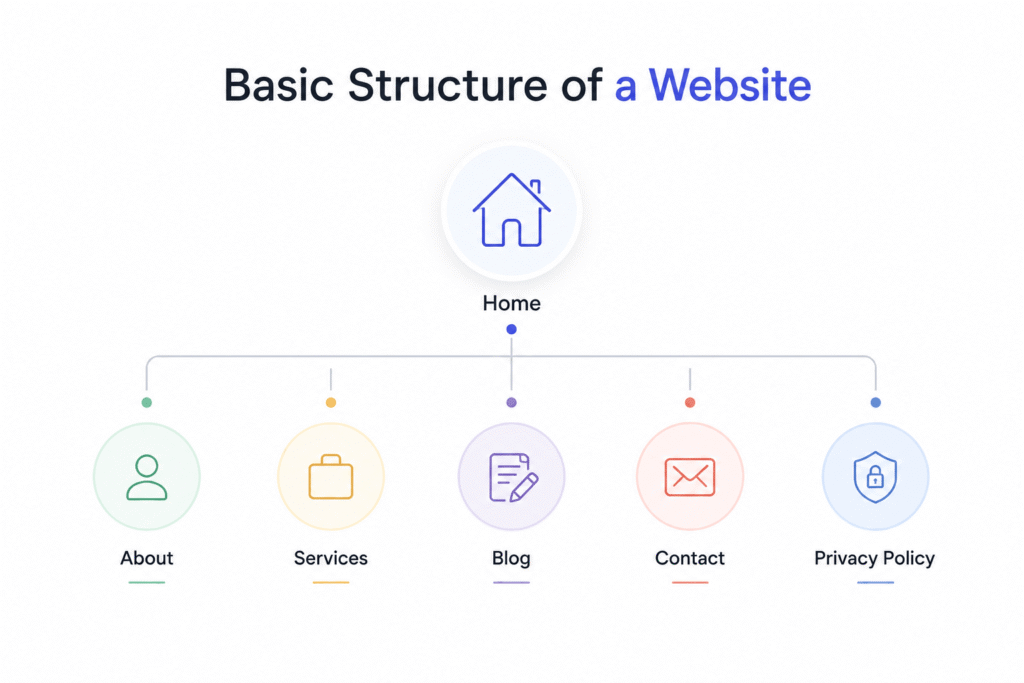
Each page has a specific purpose but together they create one complete website.
Types of Websites
Not every website is built for the same purpose. Some websites sell products, while others share information, display creative work, or provide educational resources.
Understanding the different types of websites will help you choose the right one for your personal or business goals.
Let’s look at the most common website types.
1. Business Website
A business website represents a company, brand, or local business online. It provides information about products, services, pricing, contact details, and company background. For example- “neustar.biz”.
Best For
- Small businesses
- Agencies
- Restaurants
- Salons
- Consultants
- Local shops
2. E-commerce Website
An e-commerce website allows people to buy and sell products online. Customers can browse products, add items to a shopping cart, make secure payments, and track their orders.
Examples
- Amazon
- Flipkart
- Myntra
Main Features
- Product pages
- Shopping cart
- Online payment
- Order tracking
- Customer reviews
3. Blog Website
A blog is designed to publish articles, tutorials, opinions, guides, or news regularly. For example- “neilpatel.com”
Bloggers often write about topics like:
- Technology
- Food
- Health
- Travel
- Education
- Finance
- Lifestyle
Blogs are one of the best ways to share knowledge and improve visibility on search engines.
4. Portfolio Website
A portfolio website showcases a person’s work, skills, and achievements. For example- “about.me”
It is commonly used by:
- Photographers
- Graphic designers
- Web developers
- Video editors
- Writers
- Artists
Instead of selling products, portfolio websites help visitors evaluate someone’s work and experience.
5. Educational Website
Educational websites provide learning materials, online courses, tutorials, quizzes, and study resources. For example- “harvard.edu”
Examples include:
- Schools
- Colleges
- Coaching institutes
- Online learning platforms
These websites help students learn anytime from anywhere.
6. News Website
News websites publish the latest updates on current events, sports, politics, business, entertainment, technology, and more. For example- “bbc.com”
Unlike blogs, news websites update their content frequently to keep readers informed about recent developments.
7. Personal Website
A personal website represents an individual rather than a business. For example- “janesmith.me”
People use personal websites to:
- Share their biography
- Display achievements
- Publish articles
- Build a personal brand
- Create an online resume
Many professionals use personal websites to stand out in their careers.
8. Nonprofit Website
Nonprofit organizations use websites to spread awareness, collect donations, recruit volunteers, and share information about their mission. For example- “wikipedia.org”
Common features include:
- Donation forms
- Event details
- Volunteer registration
- Success stories
- Contact information
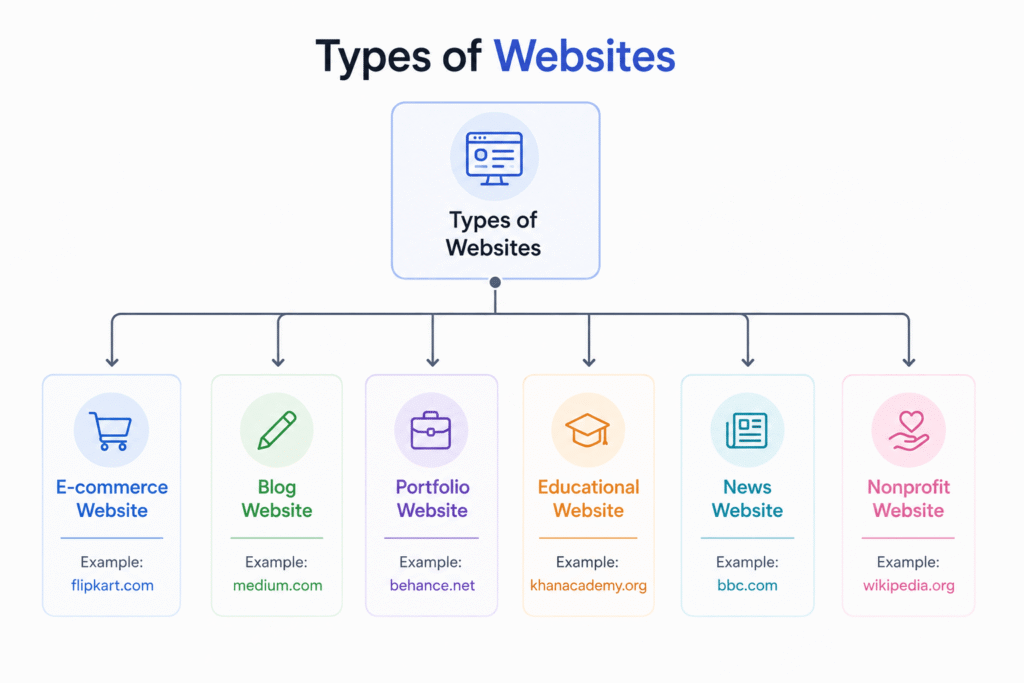
Comparison of Different Website Types
| Website Type | Main Purpose | Suitable For |
| Business | Promote services | Companies & local businesses |
| E-commerce | Sell products | Online stores |
| Blog | Share information | Bloggers & content creators |
| Portfolio | Showcase work | Freelancers & professionals |
| Educational | Teach learners | Schools & educators |
| News | Publish updates | Media organizations |
| Personal | Build personal brand | Individuals |
| Nonprofit | Raise awareness | NGOs & charities |
Which Website Type Should You Choose?
The right website depends on your goal.
| Your Goal | Recommended Website |
| Sell products | E-commerce Website |
| Promote your company | Business Website |
| Share knowledge | Blog Website |
| Display creative work | Portfolio Website |
| Teach students | Educational Website |
| Publish daily news | News Website |
| Build your personal brand | Personal Website |
| Raise funds for a cause | Nonprofit Website |
If you’re unsure where to start, a Business Website or Blog Website is often the best choice for beginners because they are easy to manage and can grow as your needs change.
Static vs Dynamic Websites
When learning about website basics, one of the first concepts you’ll come across is the difference between static and dynamic websites. Although both are accessible through a web browser, they work differently and are designed for different purposes.
Understanding this difference will help you choose the right type of website for your personal or business needs.
What is a Static Website?
A static website is a website where the content remains the same for every visitor unless someone manually edits the website files.
Think of it like a printed brochure. Every person who reads it sees the exact same information.
Static websites are usually created using HTML, CSS, and sometimes JavaScript. Since there is no database involved, they load quickly and are easy to host.
Examples of Static Websites
- Personal portfolio- jekyllrb.com
- Documentation- getbootstrap.com
- Event Website- html5up.net
- Resume website- paulrobertlloyd.com
Advantages of Static Websites
- Fast loading speed
- Easy to build
- More secure because there is no database
- Affordable hosting
- Ideal for small websites
Disadvantages of Static Websites
- Content must be updated manually
- Difficult to manage large websites
- Limited interactive features
- Not suitable for websites that update frequently
What is a Dynamic Website?
A dynamic website displays content that can change based on the user, time, location, or information stored in a database.
For example, when you log into your email or social media account, you see your own messages, profile, and notifications. Another user sees completely different information. This is possible because the website generates content dynamically.
Dynamic websites are commonly built using technologies like PHP, Python, JavaScript, ASP.NET, Node.js, and databases such as MySQL or PostgreSQL.
Examples of Dynamic Websites
- Amazon
- YouTube
- Online banking
- E-commerce websites
Advantages of Dynamic Websites
- Easy to update content
- Supports user accounts and logins
- Can display personalized content
- Suitable for blogs and online stores
- Easily scalable as the website grows
Disadvantages of Dynamic Websites
- More complex to build
- Requires a database
- Usually costs more to develop
- May require regular maintenance
Static Website vs Dynamic Website
| Feature | Static Website | Dynamic Website |
| Content | Same for everyone | Changes based on user or data |
| Database | Not required | Required |
| Speed | Very fast | Slightly slower |
| Updates | Manual | Easy through CMS or admin panel |
| Complexity | Simple | More advanced |
| Best For | Small websites | Large and interactive websites |
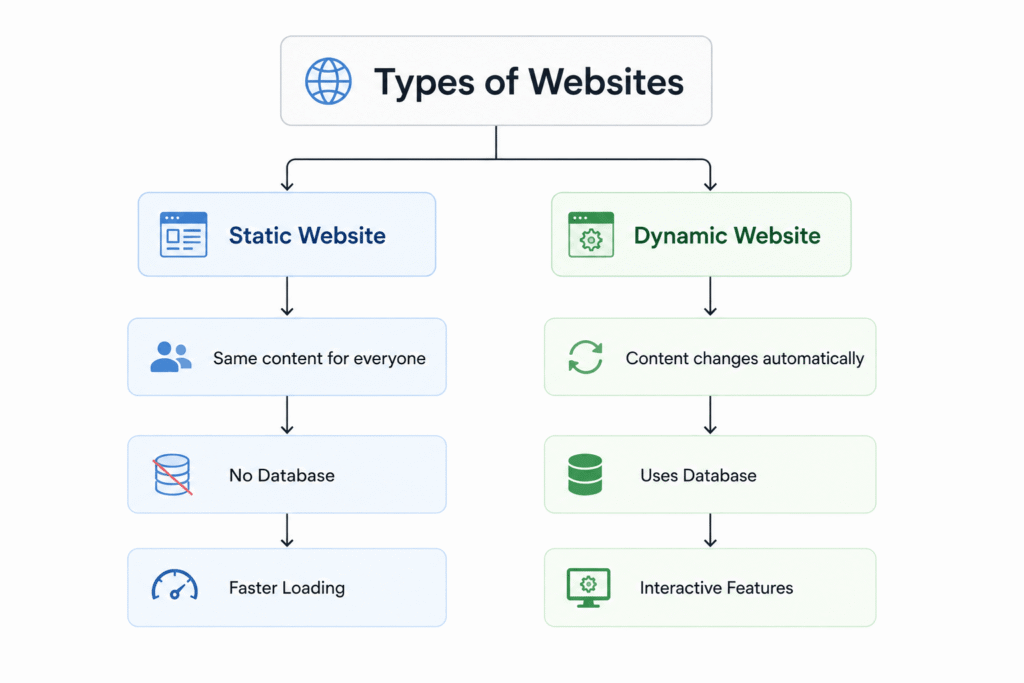
Which One Should You Choose?
Choose a static website if:
- You only need a few pages.
- Your content rarely changes.
- You want a fast and simple website.
- You have a limited budget.
Choose a dynamic website if:
- You plan to update content regularly.
- Your website has users or customers.
- You want features like login, search, shopping carts, or comments.
- You want your website to grow over time.
Today, most business websites, blogs, and online stores are dynamic because they are easier to manage and provide a better user experience
How the Internet Works
The internet is one of the most important technologies in the modern world. It allows people to communicate, share information, watch videos, shop online, and access websites from almost anywhere.
But have you ever wondered what happens behind the scenes when you open a website?
Let’s understand it in a simple way.
What is the Internet?
The Internet is a worldwide network of millions of computers and servers connected together. These devices communicate with each other to exchange information.
Whenever you visit a website, your device sends a request through the internet to the server where the website is stored. The server then sends the requested information back to your browser, allowing the webpage to appear on your screen.
Simple Definition
The Internet is a global network that connects computers and devices, enabling them to communicate and share information.
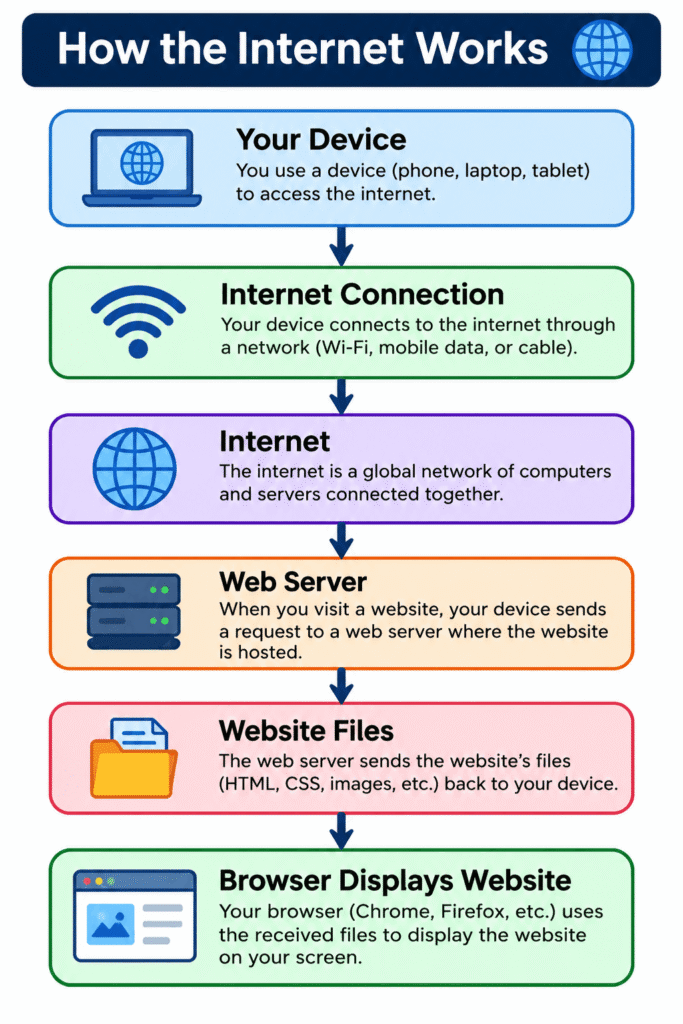
What is DNS?
After learning what is internet and website basics, the next important concept is DNS.
Every website has an IP address, but remembering numbers for every website would be almost impossible.
Imagine trying to remember this every time you wanted to visit Google:
Like– 142.250.xxx.xxx
Instead, we simply type:
www.google.com
DNS makes this possible.
What Does DNS Stand For?
DNS stands for Domain Name System.
It acts like the internet’s phonebook.
Instead of remembering IP addresses, we remember domain names.
DNS converts those domain names into IP addresses so computers can find the correct server.
Simple Definition
DNS is a system that converts a website’s domain name into its IP address.
Why is DNS Important?
Without DNS:
– You would have to remember IP addresses.
– Browsing websites would be much more difficult.
– Every website visit would require typing long numbers.
DNS makes the internet simple and user-friendly.
How DNS Works
Whenever you enter a website address:
1. Your browser asks the DNS server.
2. DNS finds the matching IP address.
3. DNS returns the IP address.
4. The browser connects to the correct server.
5. The website opens.
DNS in Everyday Life
Think of DNS like your phone’s contact list.
Instead of remembering someone’s phone number, you simply save their name.
When you tap their name, your phone automatically calls the correct number.
Similarly,
– Domain Name = Contact Name
– IP Address = Phone Number – DNS = Contact List
Now that you understand the website basics, you’re ready to move on to the next stage of your learning journey. Continue exploring topics like domain names, web hosting, SSL certificates, WordPress, and website development to build a deeper understanding of how websites are created and managed.
Whether your goal is to launch your first website or pursue a career in web development, mastering website basics will give you a strong foundation for success.