Domain, Web Hosting & Website Security: Everything Beginners Need to Know
After understanding what a website is and how it works, the next step is learning about Domain, Web Hosting and Website Security.
Every website needs three essential things:
- A domain name
- Web hosting
- Website security through an SSL certificate
These three components work together to make your website available to visitors around the world. In this guide, you’ll learn each concept in simple language with practical examples.
What is a Domain Name?
A domain name is the unique address of a website on the internet. Instead of remembering a long numerical IP address, users simply type a domain name into their browser.
For example:
A domain name makes websites easy to find and remember.
Simple Definition
A domain name is the unique, human-readable address of a website.
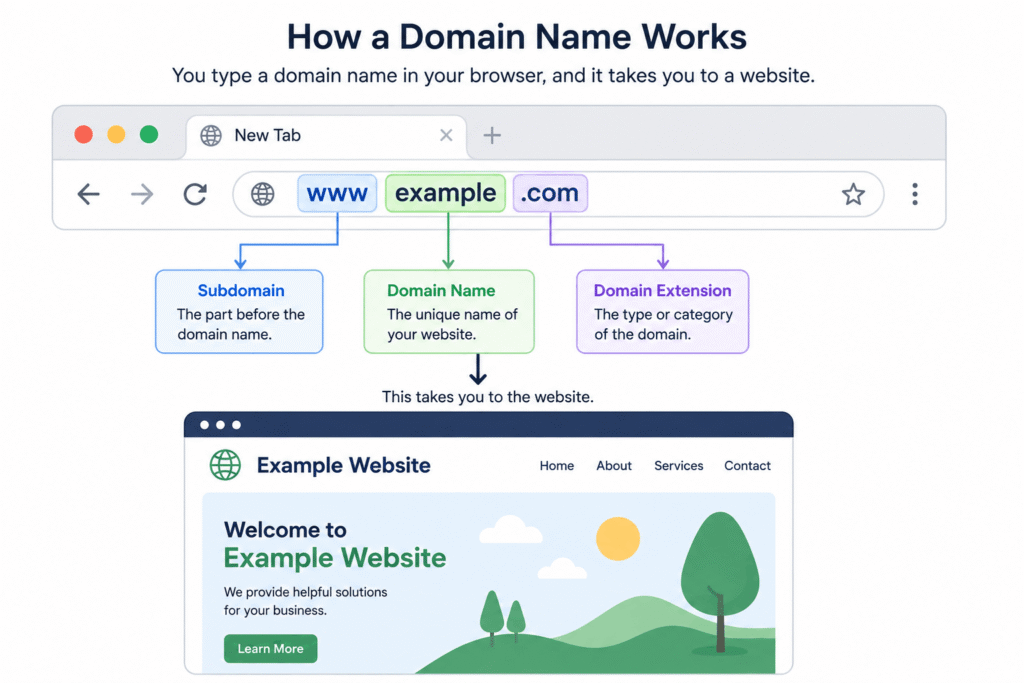
Parts of a Domain Name
Example:
www.example.com
- www – Optional subdomain
- example – Website name
- .com – Domain extension (Top-Level Domain)
Common Domain Extensions
| Extension | Best For |
| .com | Businesses and general websites |
| .org | Non-profit organizations |
| .net | Technology businesses |
| .edu | Educational institutions |
| .gov | Government organizations |
| .in | Indian websites |
Why is a Domain Name Important?
A good domain name:
- Makes your website easy to remember
- Builds brand identity
- Improves credibility
- Looks professional
- Helps visitors find your business online
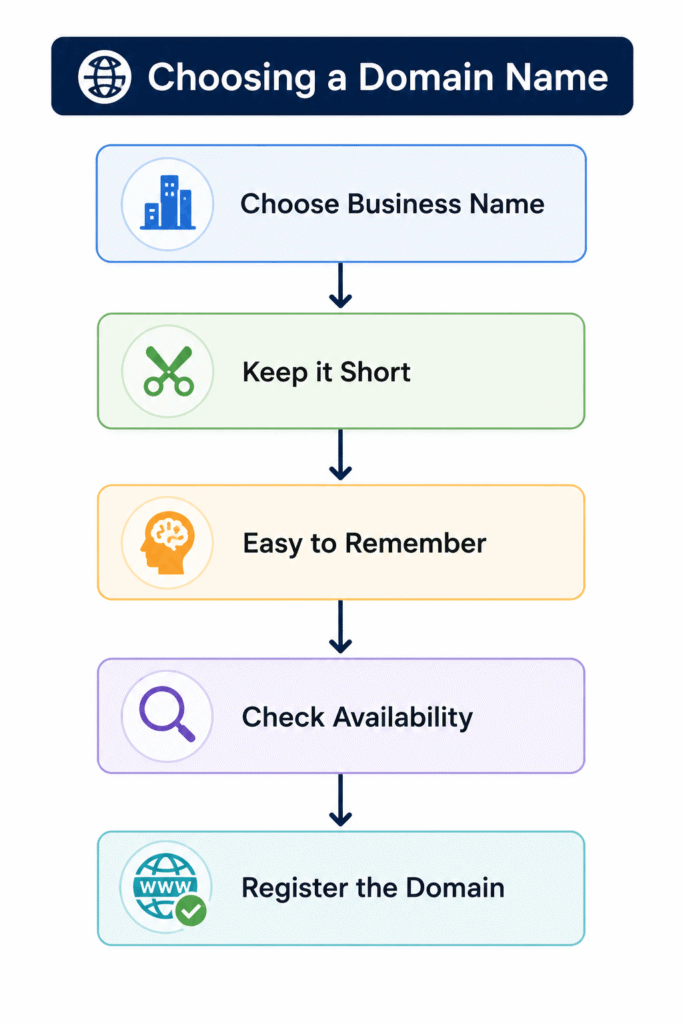
How to Choose the Perfect Domain Name
Choosing the right domain name is an important step because it represents your website for years.
Tips for Choosing a Good Domain Name
- Keep it short and simple.
- Make it easy to spell.
- Avoid numbers and hyphens.
- Choose a memorable name.
- Use your brand or business name.
- Prefer a trusted extension like .com whenever possible.
Example
Good
- greenleaf.com
- learncoding.in
- freshfoods.com
Bad
- best-online-store-2026-shop123.com
What is Web Hosting?
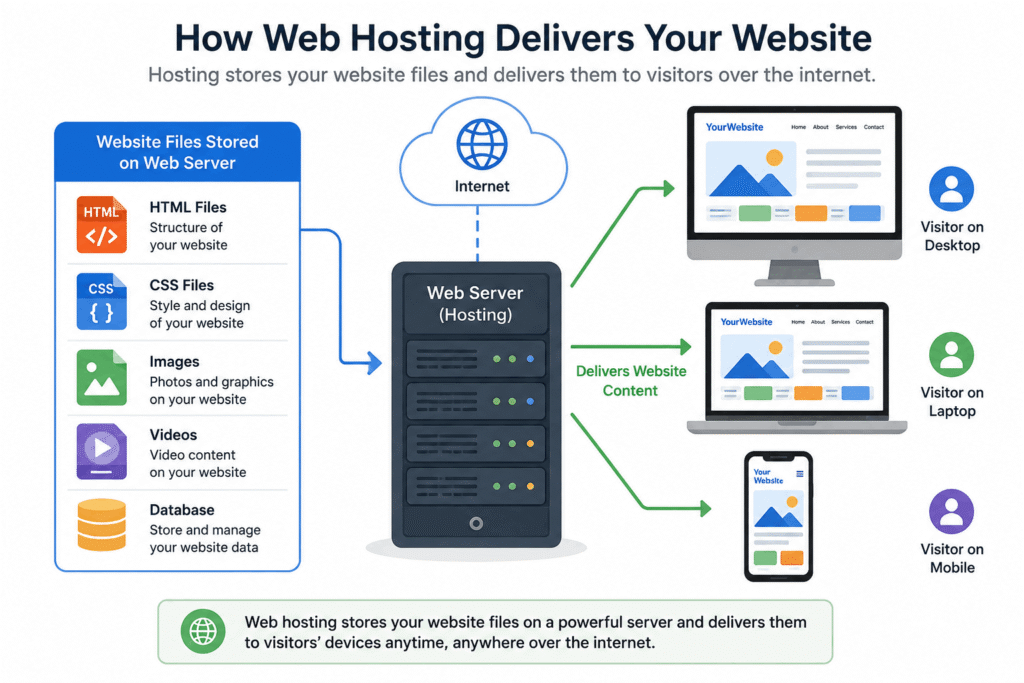
A website needs a place to store all its files, images, videos, and code. That place is called Web Hosting.
Think of it this way:
- Domain Name = Home Address
- Web Hosting = The House
The address helps people find the house, while the house stores everything inside.
Simple Definition
Web Hosting is a service that stores your website files on a server and makes them available on the internet.
Without Web Hosting, your website cannot be viewed online.
What Does Web Hosting Store?
A hosting server stores:
- Website files
- Images
- Videos
- CSS files
- JavaScript files
- Databases
- Emails (depending on the hosting plan)
Types of Web Hosting
Different websites have different needs. That’s why there are multiple Web Hosting options available.
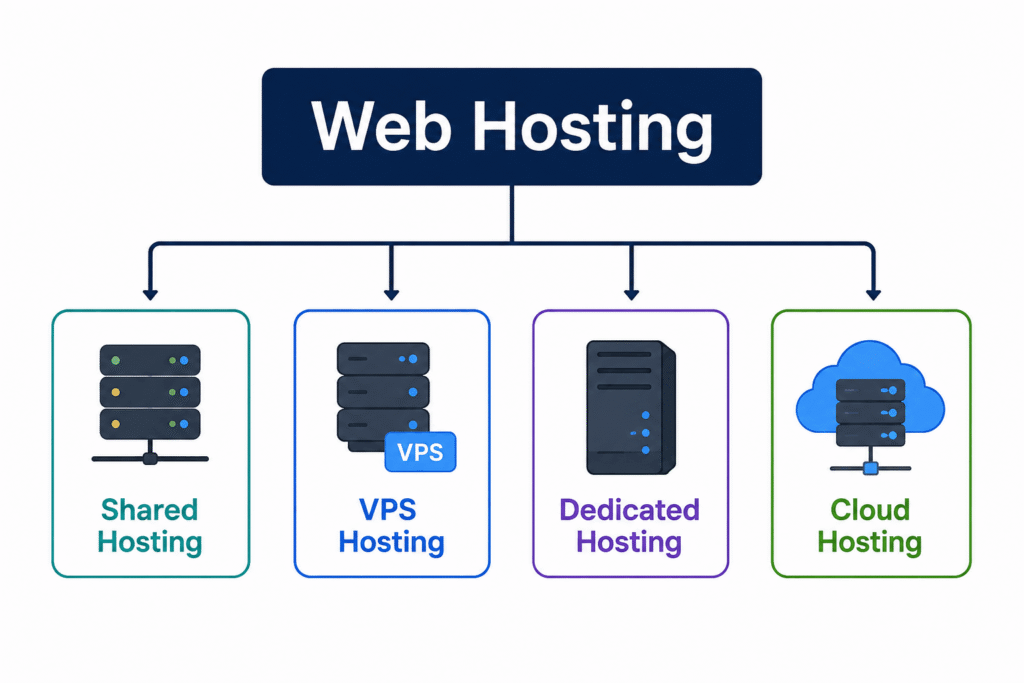
The four most common types are:
- Shared Hosting
- VPS Hosting
- Dedicated Hosting
- Cloud Hosting
1. Shared Web Hosting
Shared Hosting means multiple websites share the same server and its resources.
Best For
- Beginners
- Small businesses
- Personal blogs
- Portfolio websites
Advantages
- Affordable
- Easy to manage
- Beginner-friendly
Disadvantages
- Limited resources
- Performance may decrease during high traffic
2. VPS Web Hosting
VPS stands for Virtual Private Server.
Although multiple websites use the same physical server, each website gets dedicated virtual resources.
Best For
- Growing businesses
- Medium-sized websites
- Online stores
Advantages
- Better performance
- More control
- Improved security
Disadvantages
- Costs more than Shared Hosting
- Requires some technical knowledge
3. Dedicated Web Hosting
Dedicated Hosting gives an entire physical server to one website.
Best For
- Large companies
- High-traffic websites
- Enterprise applications
Advantages
- Excellent performance
- Maximum security
- Complete control
Disadvantages
- Expensive
- Requires server management
4. Cloud Hosting
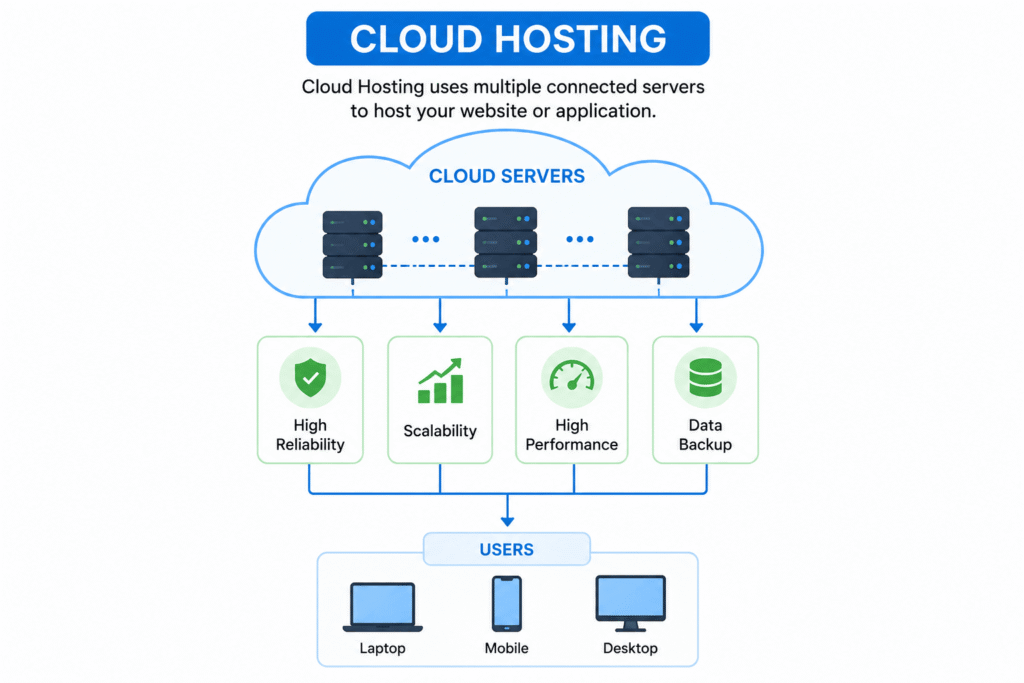
Cloud Hosting stores your website across multiple connected servers instead of a single server.
If one server experiences an issue, another server keeps your website running.
Best For
- Growing businesses
- E-commerce websites
- Websites with changing traffic
Advantages
- High reliability
- Better uptime
- Easy scalability
- Flexible resources
Disadvantages
- Pricing can vary based on usage
- Can be more complex than Shared Hosting
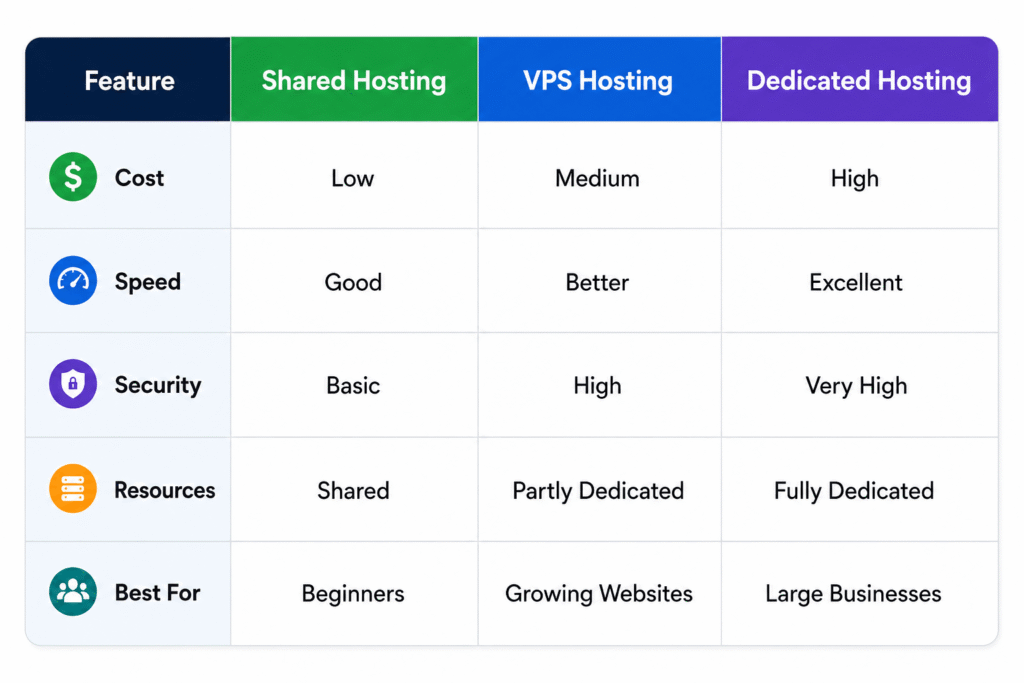
Shared vs VPS vs Dedicated Web Hosting
Cloud Hosting Explained
Unlike traditional hosting, Cloud Hosting uses a network of servers instead of relying on just one.
If one server fails, another server immediately handles the traffic, helping your website stay online.
Benefits of Cloud Hosting
- Excellent uptime
- High performance
- Easy scalability
- Better reliability
- Suitable for growing websites
Many modern businesses choose Cloud Hosting because it offers flexibility and dependable performance.
What is an SSL Certificate?
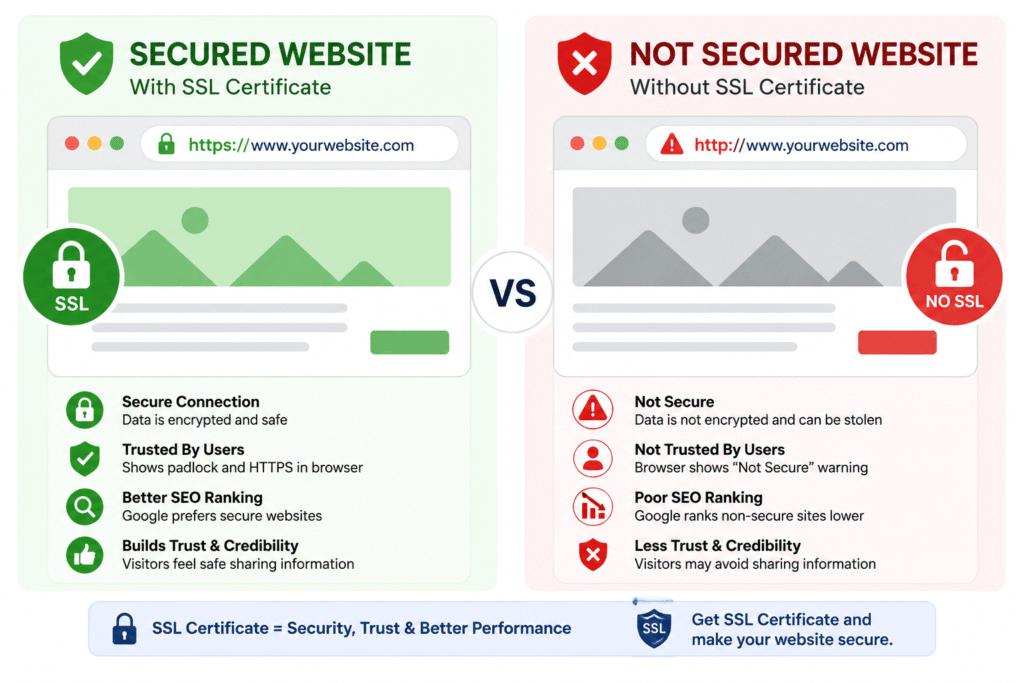
An SSL Certificate protects the information exchanged between a visitor’s browser and a website.
It encrypts sensitive data, making it much harder for unauthorized people to access it.
Simple Definition
An SSL Certificate encrypts data between a website and its visitors to improve security.
Why is SSL Important?
SSL helps:
- Protect passwords
- Secure payment information
- Build visitor trust
- Improve website security
- Support better search engine visibility
How to Identify an SSL Protected Website?
Look at the address bar.
Without SSL:
http://example.com
With SSL:
https://example.com
🔒
The padlock icon indicates that the connection is secure.
HTTP vs HTTPS
Both HTTP and HTTPS are protocols used to transfer information between a browser and a web server.
The key difference is security.
| HTTP | HTTPS |
| Data is not encrypted | Data is encrypted |
| Less secure | More secure |
| No SSL certificate | Requires SSL certificate |
| Not recommended for sensitive data | Recommended for all modern websites |
Today, HTTPS is considered the standard because it helps protect user information and increases trust.
Frequently Asked Questions (FAQs)
1. Can I create a website without a domain name?
Technically yes, but visitors won’t have a memorable web address. A domain name makes your website easy to access.
2. Is Web Hosting necessary?
Yes. Web Hosting stores your website files and allows people to visit your website online.
3. Which Web Hosting is best for beginners?
Shared Hosting is usually the best choice because it is affordable, easy to manage, and suitable for new websites.
4. Is Cloud Hosting better than Shared Hosting?
Cloud Hosting generally offers better reliability and scalability, while Shared Hosting is a more budget-friendly option for small websites.
5. Is an SSL Certificate necessary?
Yes. An SSL Certificate protects user data, improves trust, and helps secure your website.
Now that you understand Domain names, web hosting, SSL certificates, and HTTP vs HTTPS, you’re ready for the next step in your website journey. Continue with our Website Development and WordPress guide to learn how websites are built, the difference between frontend and backend, and how WordPress helps you create websites with ease.